Your interview workspace for Windows

Bring your résumé, project work and live questions into one place. Use AI assistance in interviews where it’s permitted.

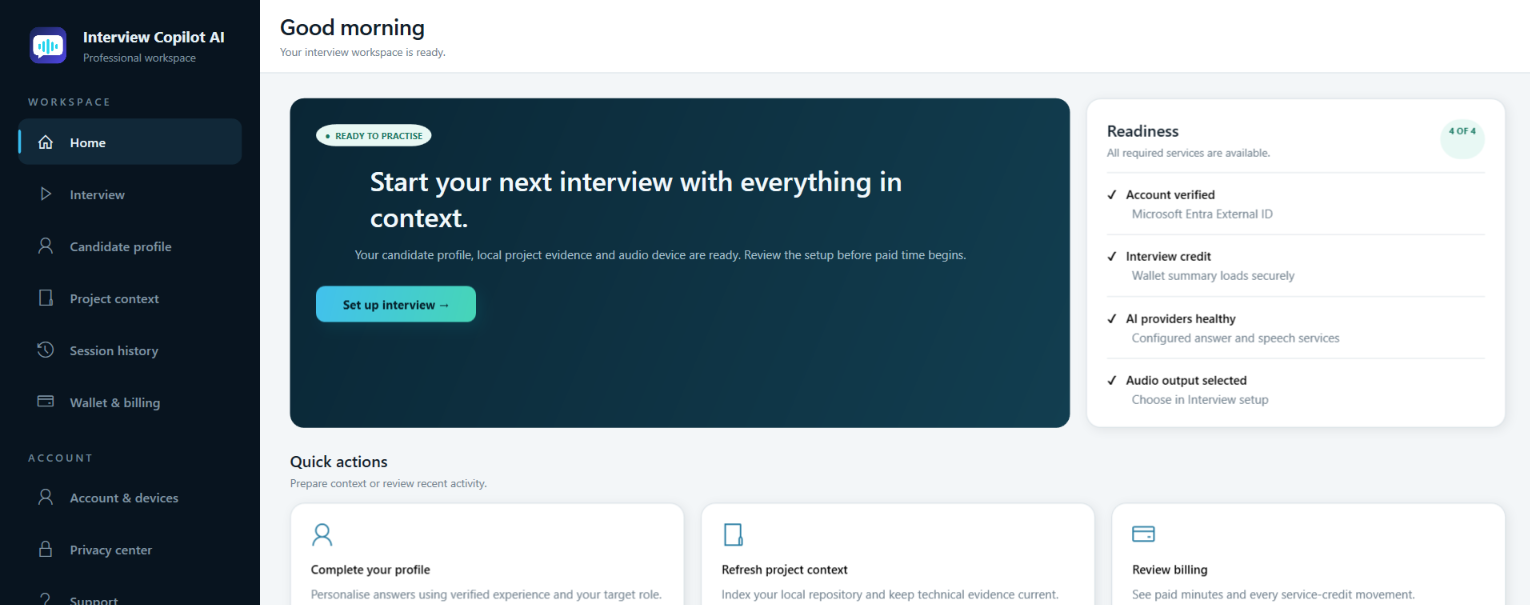
Windows home screen with interview setup, readiness checks and quick actions

From question to answer

Live transcription
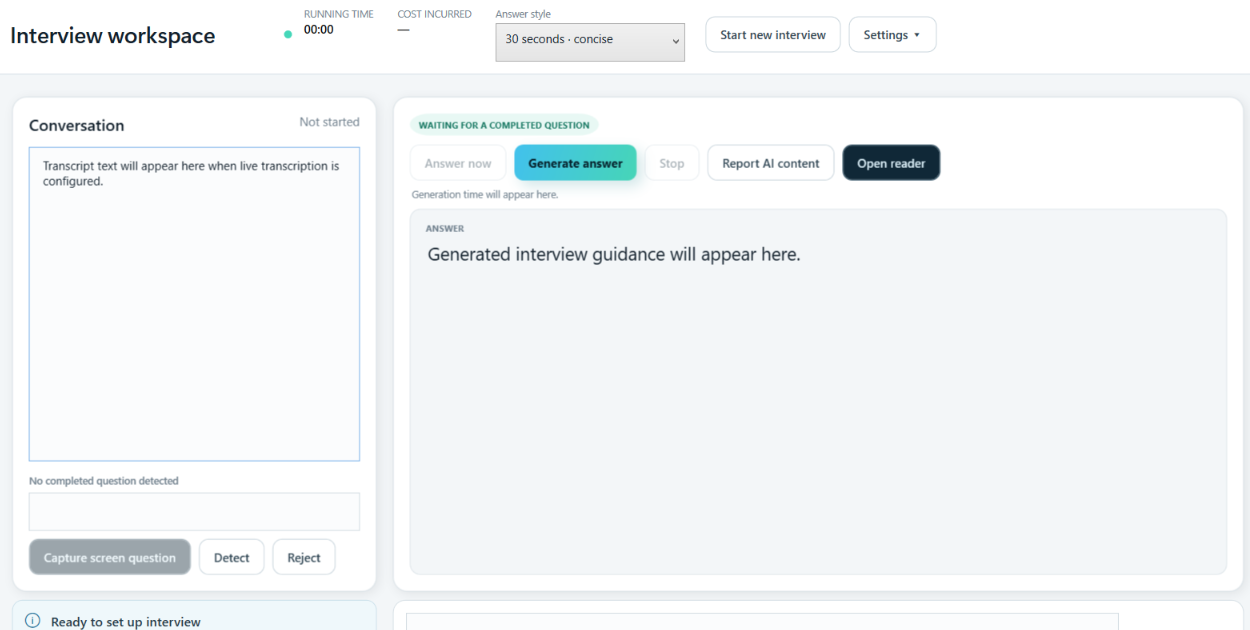
Follow spoken questions and multi-part prompts as they arrive, or type your own.
Coding and screen questions
Capture code or a diagram, then crop, redact and confirm what you send.
Five answer styles
Switch between key points, a short or detailed response, STAR and a technical explanation.
Interview workspace with conversation, screen capture, answer style and detachable reader controls

Prepare with your own experience

Candidate profile

Import a résumé, review your experience and add the target role so answers reflect your background.
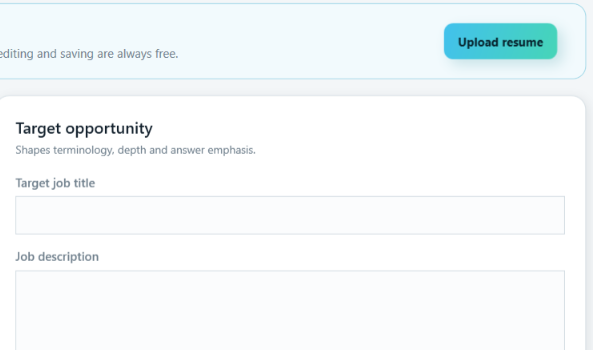
Résumé upload and target opportunity fields in the candidate profile

Project context

Index selected local files and review a project brief. Answers can draw on the implementation details you choose.
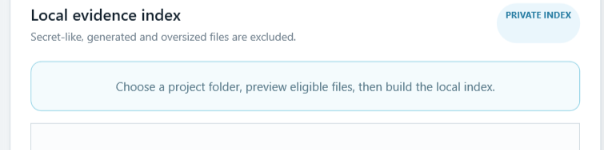
Local evidence index with a private index indicator and file selection guidance

Review your sessions and credit

Revisit questions and answers in encrypted local history. Check available credit, session charges and receipts in Wallet & billing.

View pricing →
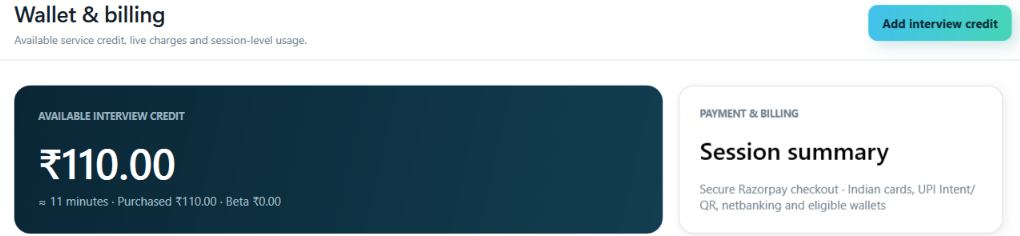
Desktop wallet showing available credit and the billing summary

After the interview

Question and answer review

Revisit each saved question alongside its generated answer. Pick an example to refine before your next interview.
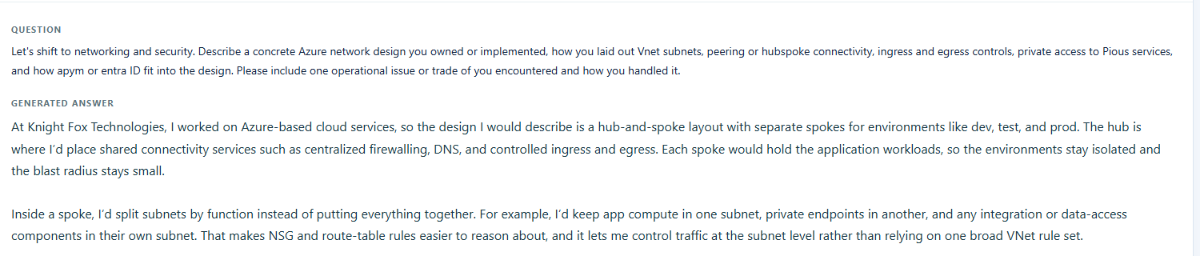
An Azure networking question followed by its generated answer in the saved session

Minute-by-minute billing

Expand an interview in your wallet to see the credit used for each logged minute and the balance after each debit.
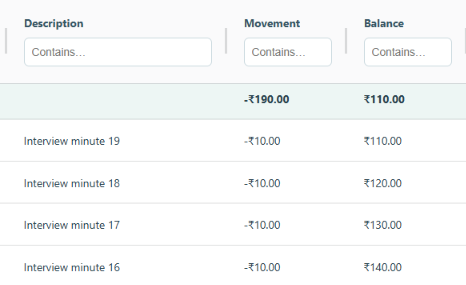
Wallet activity listing individual interview minutes, credit debits and remaining balances